
AI content guidance and review · Microsoft Security
Scaling security content design with AI
How I turned our guidelines into a library AI tools could use, and built the skills that put it to work
Used in pull requests (PRs), design tools, and AI skills across security teams
The challenge
Not enough content designers to cover all features
Guidance that AI tools couldn’t fully use
Guidance
Rules came from one source, a shared content design guidelines site

No live sources, so rules went stale and needed weekly manual updates

Thin guidance meant thin AI reviews

Reviews
Content reached PRs unreviewed

Problems turned up after merge, in translation, accessibility, and support

Every fix meant another PR

The built-in PR reviewer didn’t know our guidelines

Security products are dense. A content designer couldn’t be assigned to every feature.
“Pull request (PR)” here means a developer’s proposed change to the product’s code and content.
The solution
An enhanced base package any AI tool could use, and a PR content skill built on it
PR skill reviews only new or updated strings
Applies Microsoft-wide and security-specific content, localization, and accessibility guidance
Suggests a rewrite and names the rule
Checks the readability of its own rewrite
A person approves every change
Security content design base package: files of rules, patterns, terms, and examples that AI tools check when they help write Microsoft Security UI content.
What I did
Wrote and presented the plan
Enhanced our content guidance and made sure any AI tool could use it

Built the PR content skill

Partnered with engineering to ship the skill

The problem
The original base package wasn’t ready for AI tools
Built to share manually with an AI chat, not for tools to load

Static: no live sources, so it went stale fast

Keeping it current took a manual scrub every week

One source: a shared content design guidelines site

Thin: nine files, without the depth that AI reviews needed

Rules in YAML, a format AI tools found hard to parse
AI reviews could only be as good as the rules, and the rules fell behind.
Code got reviewed. The content in it often didn’t.
Found late
Problems surfaced after merge, in translation, or in support cases.
Fixed twice
Follow-up PRs and hotfixes. Translation and accessibility bugs cost more after release.
Paid for by customers
Confusing content sent admins to support. About 30% of security support cases were “how do I” questions. Localization and accessibility cases followed.
A PR reviewer was already in the room
It reviewed code, not content
Engineering’s AI-based reviewer ran on every PR, before human reviewers. Its language knowledge was general. Product terms needed explicit guidance.
Example: four strings from one PR
Small problems, the kind that reach customers
Goal was to create a skill to catch these issues during the PR.
Working out the fix
Put the review where strings are coded
Same place, same time as the code review
Content checks where code is already reviewed
An early check, not a blocking step
Guidance where the work happens, so content designers spend their time on higher-value design work
Fix content issues before the code ships.
I planned the PR skill first
And took five questions to engineering
I’d wanted this since my Exchange days, where I helped build a tool that pulled product strings for editors to fix by hand. But no view of where they appeared and no guidelines applied automatically. In October 2025, I wrote a plan for a content review in the PR tool.
Here’s how each was settled.
Can it suggest a replacement string, not just leave a comment?
Yes. It posts a suggested change the author can apply in one click.Can it read guidance from outside its repo, like a web page or another system?
Not in the first release. Only its built-in training and what’s in the repo. So I put the enhanced package there.Which file format does it handle best: YAML, Markdown, or JSON?
All three work. Markdown was the leanest.Can it apply rules only to the solution a string belongs to?
Yes. It can get that context from file names, string IDs, and localization comments.If two guidance files overlap, which one wins?
The most specific one. A product’s rule beats a general rule.
Question 2 settled the design.
Make the guidance something tools can load
Then fix the original base package
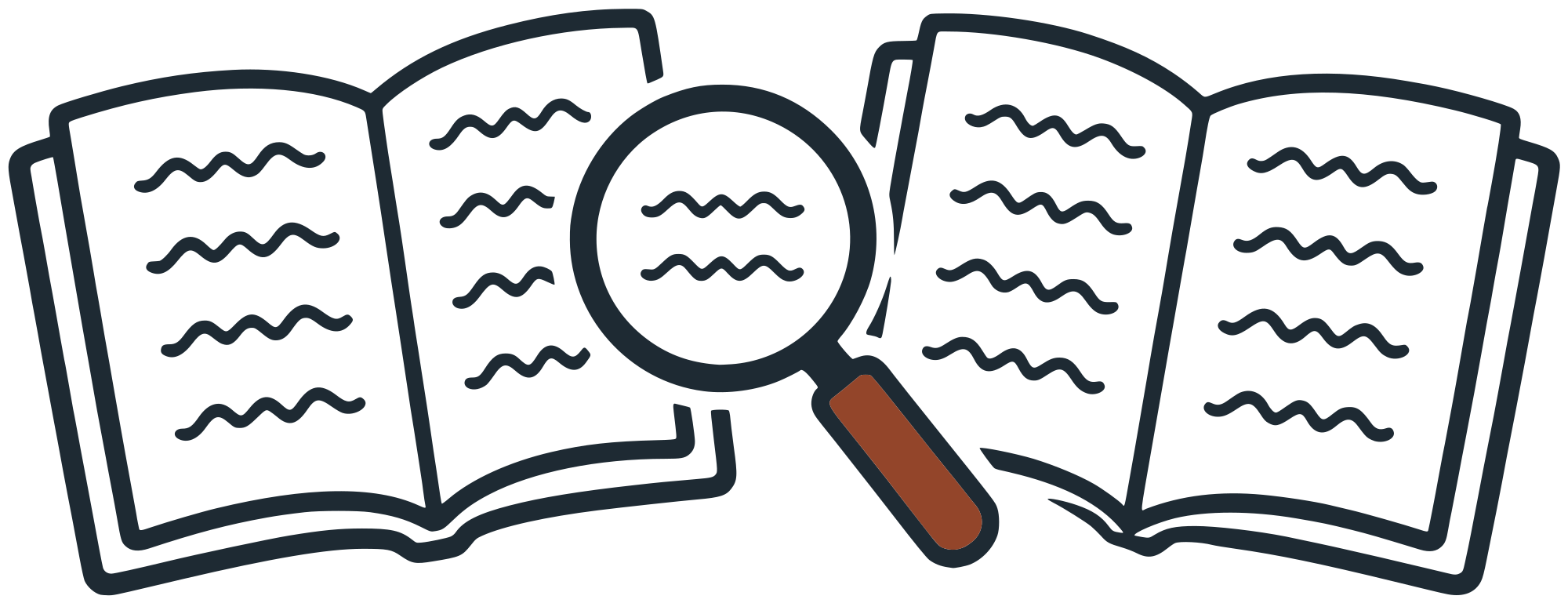
The two versions of the package, side by side.
Build it for tools to load, not for people to share
Connect live sources, so rules stay current without a manual scrub
Go deeper than nine files, so reviews have more to apply
Goal was guidance any AI tool could use…and keep using.
I planned the rebuild next
The tools, the sources, the reviewers, and the tests
Set up GitHub Copilot CLI in VS Code across our team’s repo and the product’s code repo, so it had context from both.
Check our rules against Microsoft’s style guides first, then widen the sources.
Work out with a systems teammate how every tool would load it.
Have senior teammates review it.
Test it like code, then on real screens.

Building the foundation
I started by checking our rules against Microsoft’s style guides
The first pass found 13 gaps. Then I kept widening the sources.
Style guides first, then our team’s content design articles and design system docs
Public industry standards that weren’t tied to a product or company
Terms change often, so tools checked the live source first. Voice rarely changes, so the file was enough.
No AI server could reach one internal style guide, so I connected to the repo it’s built from. A weekly check sent me each change to approve.
The rules had to travel with the tool
Guidance any AI tool could use, online or off.
My manager built the original base package.
I rebuilt it to pull from the sources in the diagram every week. It used MCP servers (which let AI tools read other systems) where they existed, and workarounds where they didn’t. Every rule file told a tool where to check for the freshest guidance.
And when a tool couldn’t fetch, the rules still worked offline, built in, which is how the PR tool used them.
Where the rules came from, and the two ways tools used them.
The files followed the Open Knowledge Format (OKF): Markdown files with a short header, one topic per file.
Switching formats made the package nearly 80% smaller.
Connect a tool once, and every request gets the guidance
Every tool draws on the same files.
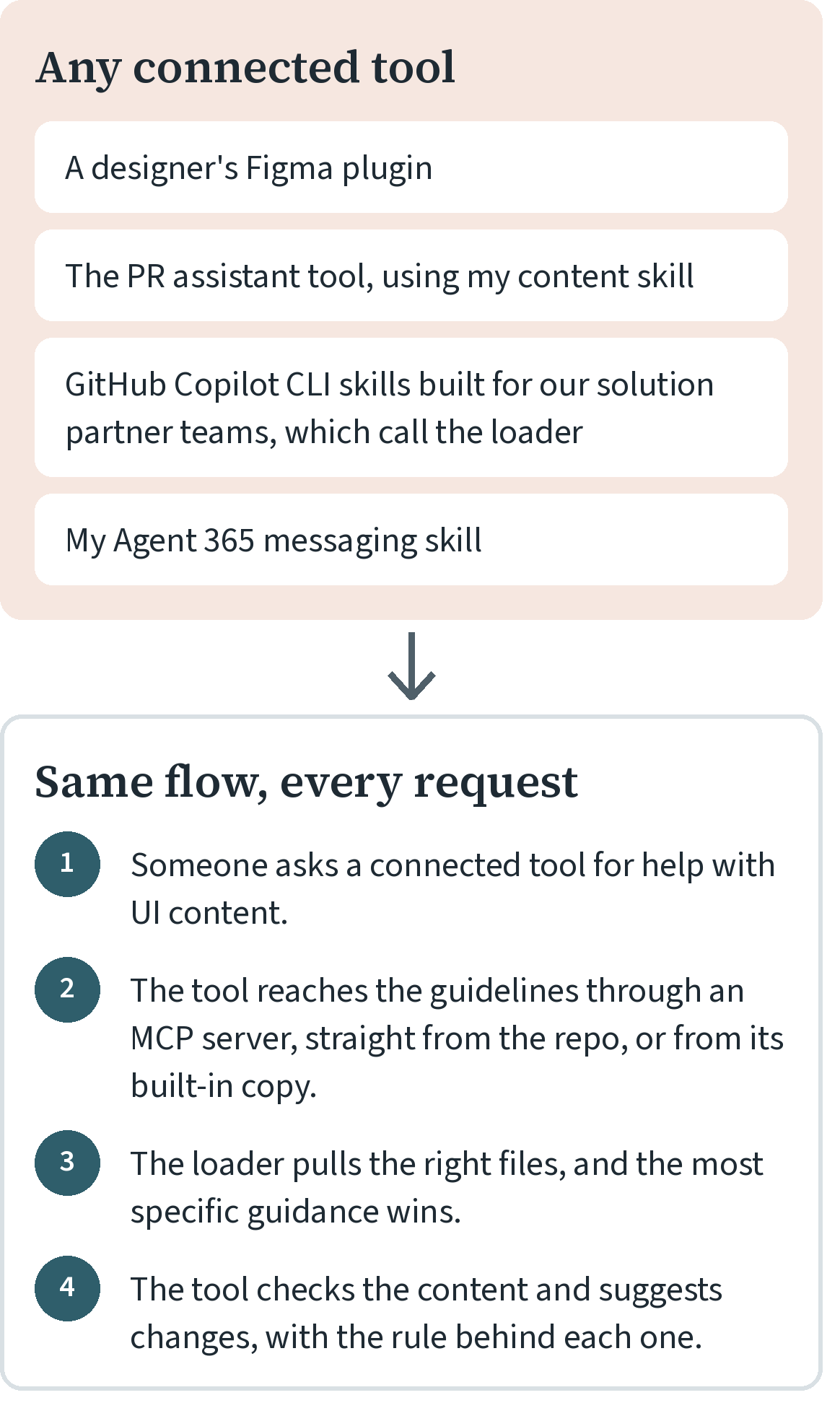
I worked out this flow with a systems teammate. I pushed for it to serve every tool, including ones that can’t fetch.
General guidance every time, AI guidance only when it fits
My teammate wrote the first AI files. I drew the line between the two sets.
I checked my teammate’s AI files against the sources behind the general files. When a general article held AI guidance, I moved it into the right AI file.
Then I tested it like code
First the package’s own files, then real screens
All 16 rule files at the time loaded without errors
More than 300 rule IDs, none duplicated

Nearly 200 cross-references, all resolving

Five rounds of quality checks, 72 fixes
The checks even caught more than a dozen example strings breaking the guidance’s own rules.
Senior teammates reviewed it too.
A test on real screens got a C minus
It caught capital letters and punctuation but missed detailed content design guidance.
The cause: tools missed rules that were in the package.

The fix: seven checks on every review, which the skill carried too.

The package said plainly what it did well (copy editing) and what it didn’t yet do (content design thinking).
Each miss from a review of a five-screen setup wizard, and the fix it got.
The next review got an A minus
One miss left: a localization rule the package didn’t have yet.
The minus was one localization rule. Use “after,” not “once,” when you mean “as soon as.” “Once” can also mean “one time,” so it gets mistranslated.
The package missed it because it hadn’t pulled that section of the team’s localization guidance. I fixed the pull.
I didn’t retest after the patch.
Building the skill
From test PRs to a real one
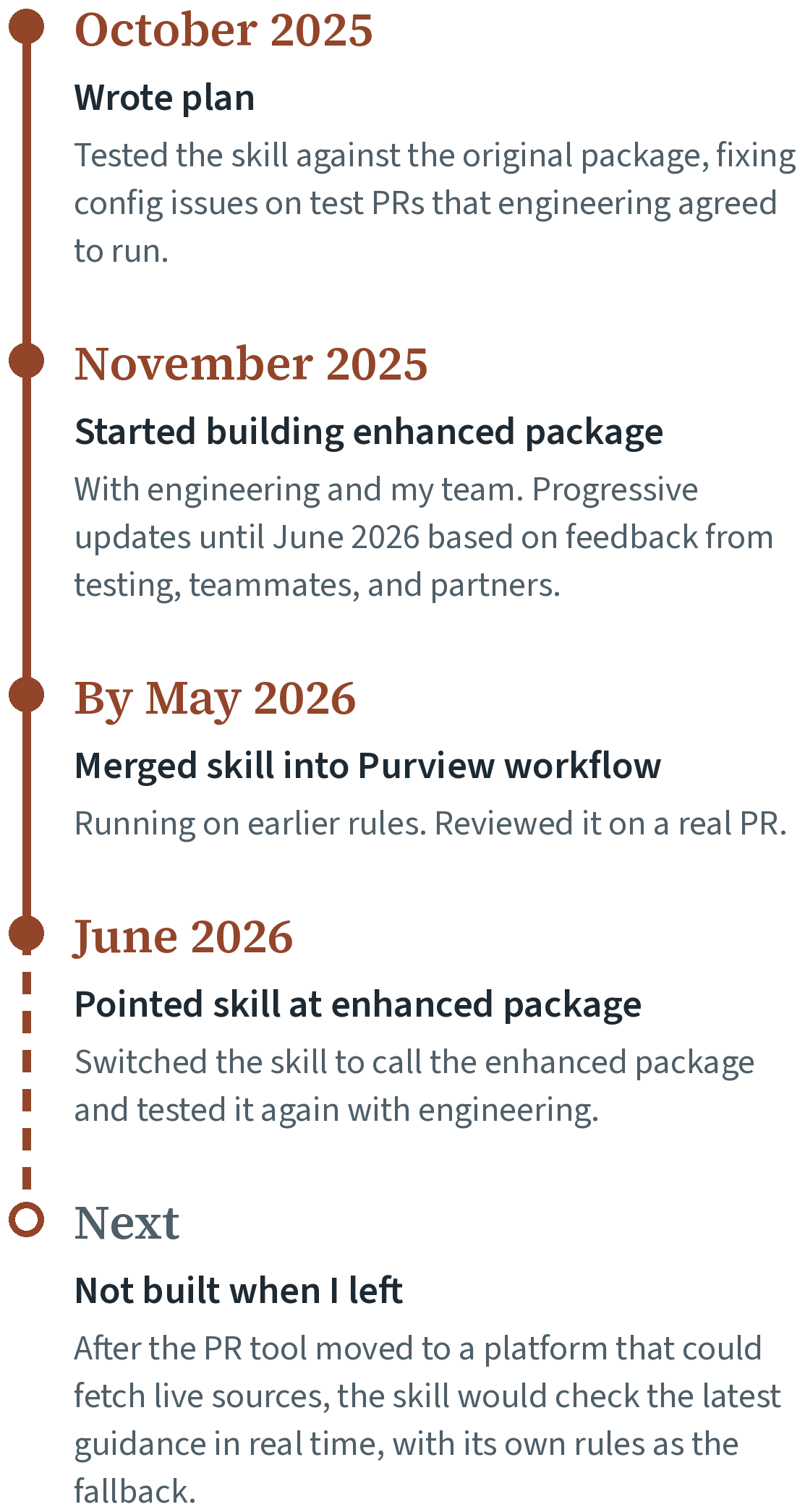
Its rules refreshed weekly from the live sources, and I approved every update.
It reads the content in context
Not one string at a time
What it reads
Only new or updated strings in translation calls. It skips auto-generated translation files and stays quiet when content is fine.
How it knows which guidance applies
It infers where each string appears from its file name, string ID, and localization comment. When the ID and comment disagree, the comment wins.
It read the enhanced package from the product’s repo, kept current weekly. The review itself never fetched anything live.
What the skill reads, what it infers from that, and the guidance it applies.
Every comment shows its work
The issue, the rule, the rewrite, the source
Re-creation of one comment from the skill’s review. Names, file paths, and line numbers are changed.
What each section carries
The problem, and the rule section it breaks
The suggested change, one click to apply
Its readability score
The guidance it came from
A rating, and a support link I added so anyone reviewing the PR could ask the content design team (a form I triaged)
The PR’s author decides: apply it or ignore it, and add a comment before resolving.
It checks its own rewrite
A fix that’s harder to read isn’t a fix
Grades the readability of every suggestion: target 8 or lower, always below 10
Never suggests a fix that raises the grade
Notes when security terms push the score up and shouldn’t be simplified
Won’t comment if it can’t find the exact line
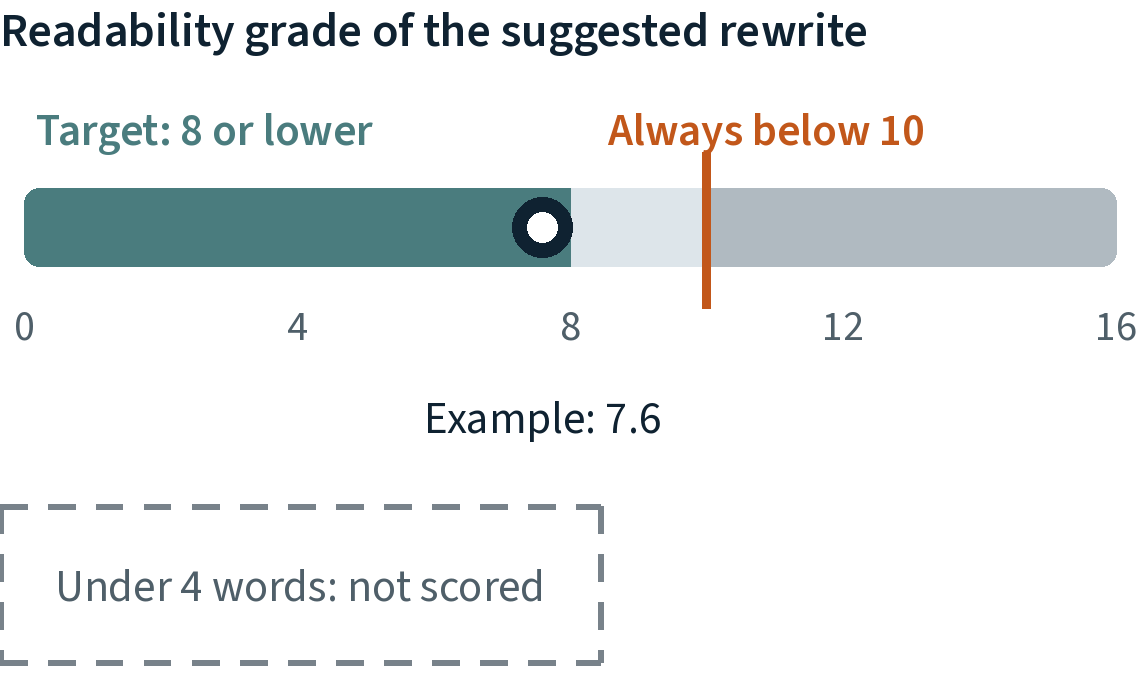
Every suggested rewrite gets a grade. The example, 7.6, is the score on the first comment in the demo.
It skips strings under four words, where a grade means little. The score ignores locked product names, which this audience already knows.
The outcome
What shipped: Enhanced base package
27 guideline files any AI tool can load
19 general and 8 AI guideline files, in Markdown
Loaded by a Figma plugin, the PR assistant tool, GitHub Copilot CLI skills, and an Agent 365 messaging skill
I built this overview page so partners could see how it works.
What shipped: Content skill in PR review tool
A content review inside the PR
Re-creation of the skill’s review on a real PR. Names, file paths, and line numbers are changed.
What it did
Early signs from a short run
It was too early to see an effect on support cases.
Kudos
In their words
Your ability to go into code and manage strings directly is incredibly valuable. It’s not about devs leaning on content designers. It’s about making sure the content actually lives correctly in the product, beyond Figma, and is accurate where it matters.
Senior Product Engineer
Microsoft

This is next-level work. You’re building a product. We should look into patenting this for Microsoft.
Principal Content Design Manager
Microsoft
What I’d improve next
First step, already started: a spec for consistent string IDs and localization comments, so tools and reviewers can tell where a string lives.